Articles Field lets you customize how linked articles are displayed on the frontend. These output settings are shared by Free and Pro for the normal Articles field; Articles - Linked is itself Pro-only.
By default, the field outputs the selected articles as linked titles.
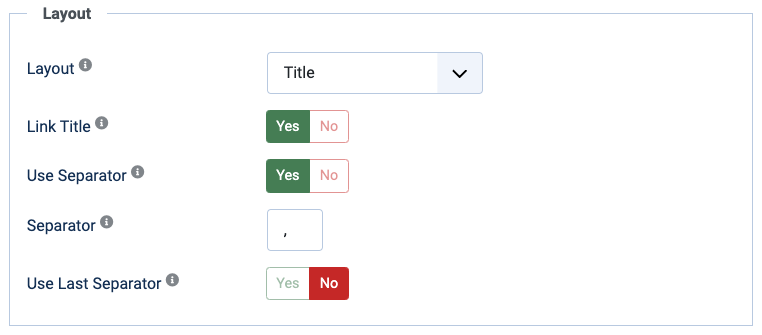
You can choose whether to link each article title and select one of these layouts:
- Title: Show the title of each linked article. This is the default.
- Title + Custom Field: Show the title together with the value of another custom field.
- Custom HTML PRO: Define the output for each article with HTML and article data tags.
Separators
Enable Use Separator to place the configured separator between multiple results. The default separator is a comma followed by a space. Disable it when the selected layout should place the results directly beside each other.
Enable Use Last Separator to use a different separator between the final two results. For example, a normal separator of , and a last separator of & produces First, Second & Third.
The normal and last separators are available in both editions.
Custom HTML PRO
With the Pro version of Articles Field, you can define custom HTML output for each article.
This allows you to place article data and control the surrounding markup.
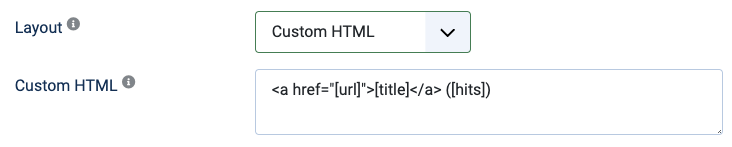
When selecting the Custom HTML layout, the default example shows a linked title and the number of article hits:
<a href="[url]">[title]</a> ([hits])
You can use [data] tags to output data available for the article, including:
[id]the ID of the article[title]the title of the article[alias]the alias of the article[introtext]the intro text of the article[fulltext]the full text of the article[catid]the ID of the article category[created],[publish_up],[publish_down], and[modified]the creation, publication, and modification dates[created_by]and[modified_by]the IDs of the article author and modifier[image_intro]and[image_fulltext]the URLs of the intro and full article images[hits]the number of article views[field-name]another article database value, using its column name, such as[metakey][my-custom-field]the value of a custom field attached to the article, using the field name, such as[location][total]the total number of articles returned[count]the position of the current article in the returned list
For example, to output only a custom field named location, without an article link, use:
[location]
Note: When multiple articles produce the same final value, Articles Field outputs that value only once.
You can combine HTML and data tags in a completely customized layout. For example:
<div class="item">
	<div class="pull-left item-image">
		<a href="[url]"><img src="[image_intro]" title="[title]" alt="[title]" /></a>
	</div>
	<h3><a href="[url]">[title]</a></h3>
</div>
For more data-tag options, combine Articles Field with Articles Anywhere. See More Data Tags with Articles Anywhere.