Once Regular Labs GeoIP is installed for the first time on your site, you will be presented with a message saying that GeoIP cannot function until you sync the MaxMind GeoLite 2 database.
That is because, as of December 30, 2019 you need a MaxMind License Key (free) in order to use the GeoIP database.
MaxMind License Key
MaxMind GeoLite2 requires you to create a free account (no purchase required) and create a License Key.
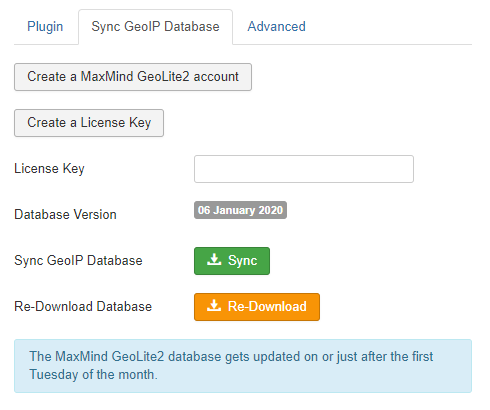
This means that in order to download the GeoIP database on your website, you first need to create a License Key and enter it in the GeoIP system plugin settings.
The field to enter your MaxMind License Key has been introduced in version 3.0.0 of GeoIP, released in January 2020.
Syncing the Database
Once a MaxMind License Key has been entered, you can download the GeoIP database by simply clicking on the "Sync" button in the GeoIP system plugin settings.
At this point, you have completed the setup of GeoIP and you will be able to use it in any of the supported Regular Labs Extensions.